Email Classlist provides the ability to send email to the student(s) of the course from the Classlist in D2L. Students receive and reply to emails through LCC Gmail accounts, and messages are delivered to the instructors’ LCC email accounts.
Email All Users
-
Step 1
From the Communication menu within a D2L course, select Classlist. -
Step 2
Select Email Classlist.
Note:
Keep the default Subject with Course Name and CRN.
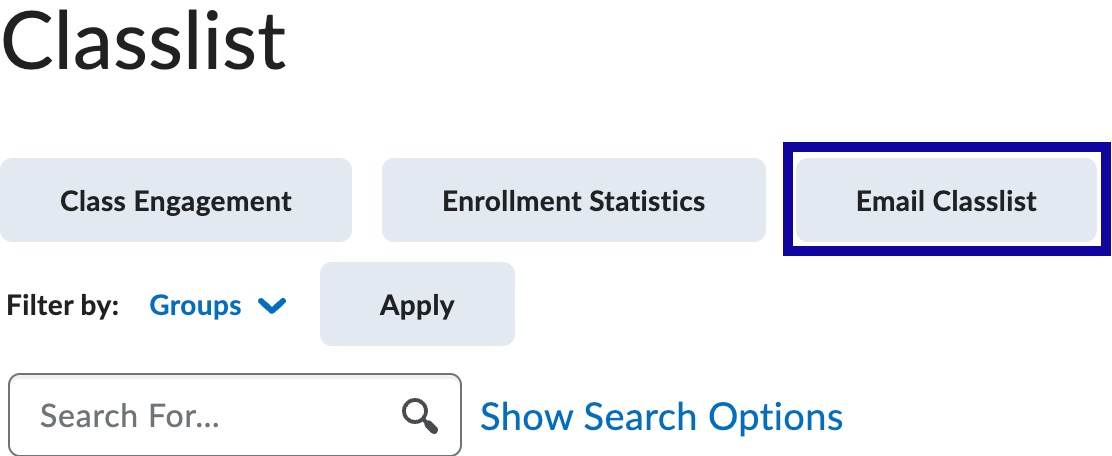
-
Step 3
Select Send Email.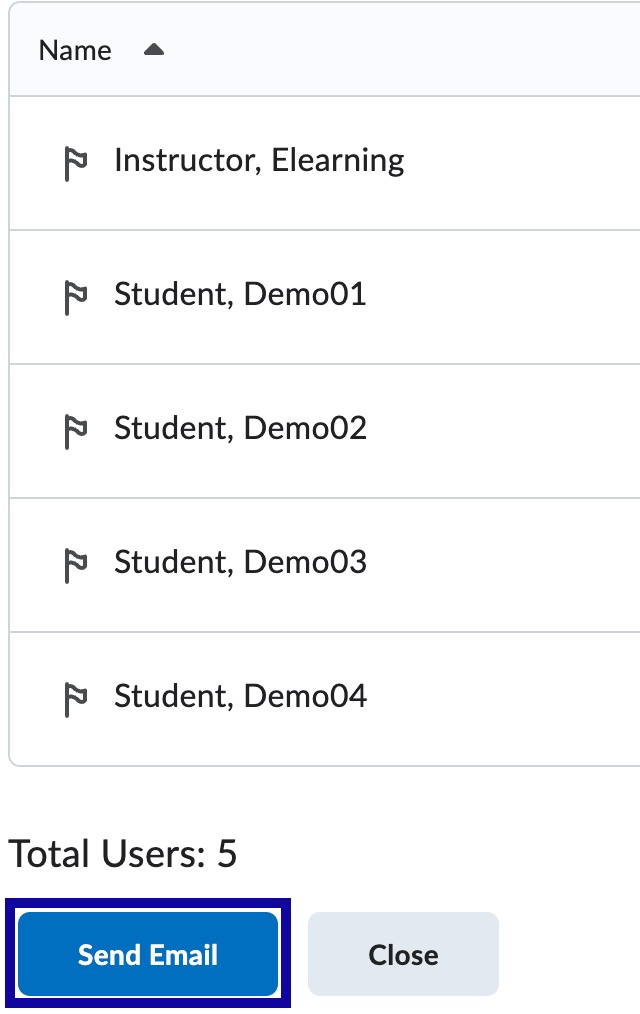
-
Step 4
Enter a Message in the body of the HTML Editor. -
Step 5
Select Send.
Note:
Instructors receive and reply to emails from LCC Outlook. To access emails, log into myLCC, and select Outlook web.
Email Selected Users
-
Step 1
From the Communication menu within a D2L course, select Classlist. -
Step 2
Locate and select the checkbox(es) next to the username(s).
Note:
Keep the default Subject with Course Name and CRN.
-
Step 3
Select Email.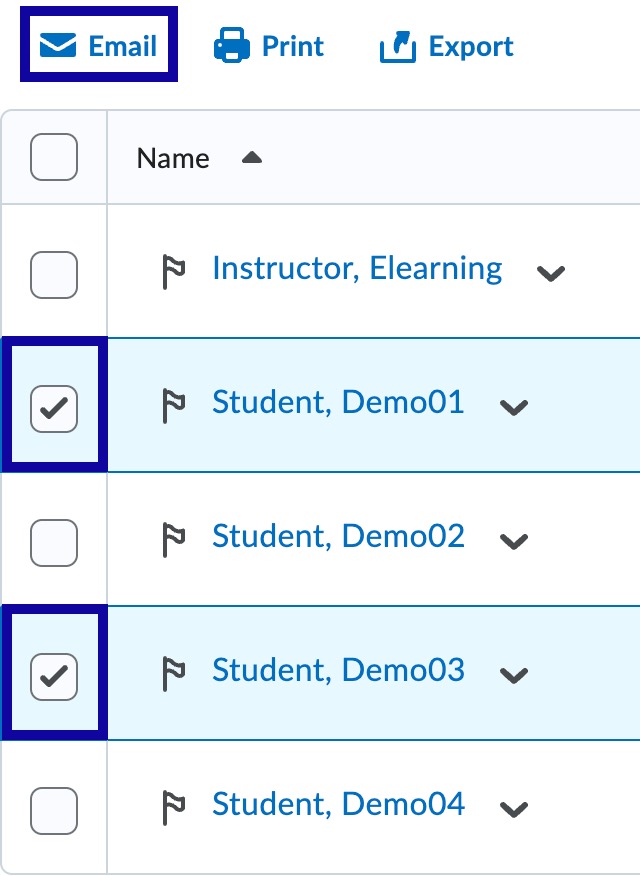
-
Step 4
Enter a Message in the body of the HTML Editor. -
Step 5
Select Send.
Note:
Instructors receive and reply to emails from LCC Outlook. To access emails, log into myLCC, and select Outlook web.