Clone Interactives provide a method to copy, edit, and share H5P Interactives with colleagues without impacting the original interactive.
-
Step 1
From within a D2L course, select Content. -
Step 2
From the Table of Contents, select a Content module. -
Step 3
From the Existing Activities dropdown menu, select H5P. -
Step 4
Locate the interactive to be cloned. -
Step 5
Select the More Options dropdown menu on the interactive, and select Clone.
-
Step 6
Select Clone from the top-right of the window.
-
Step 7
On the cloned interactive, select the More Options dropdown menu, and select Assign Owner.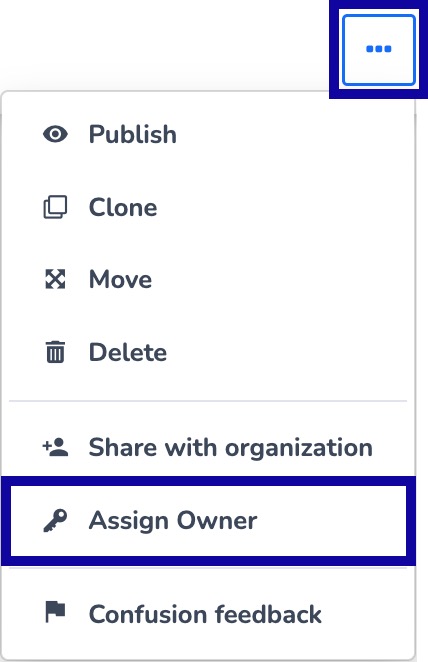
-
Step 8
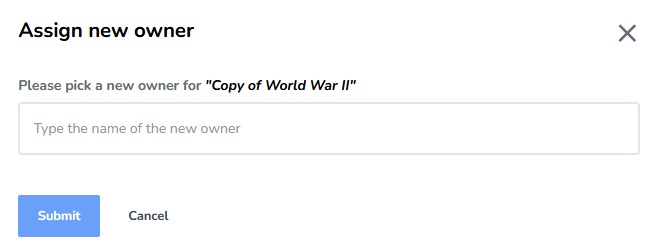
From Assign new owner window, type the name of the new owner. -
Step 9
Select Submit.