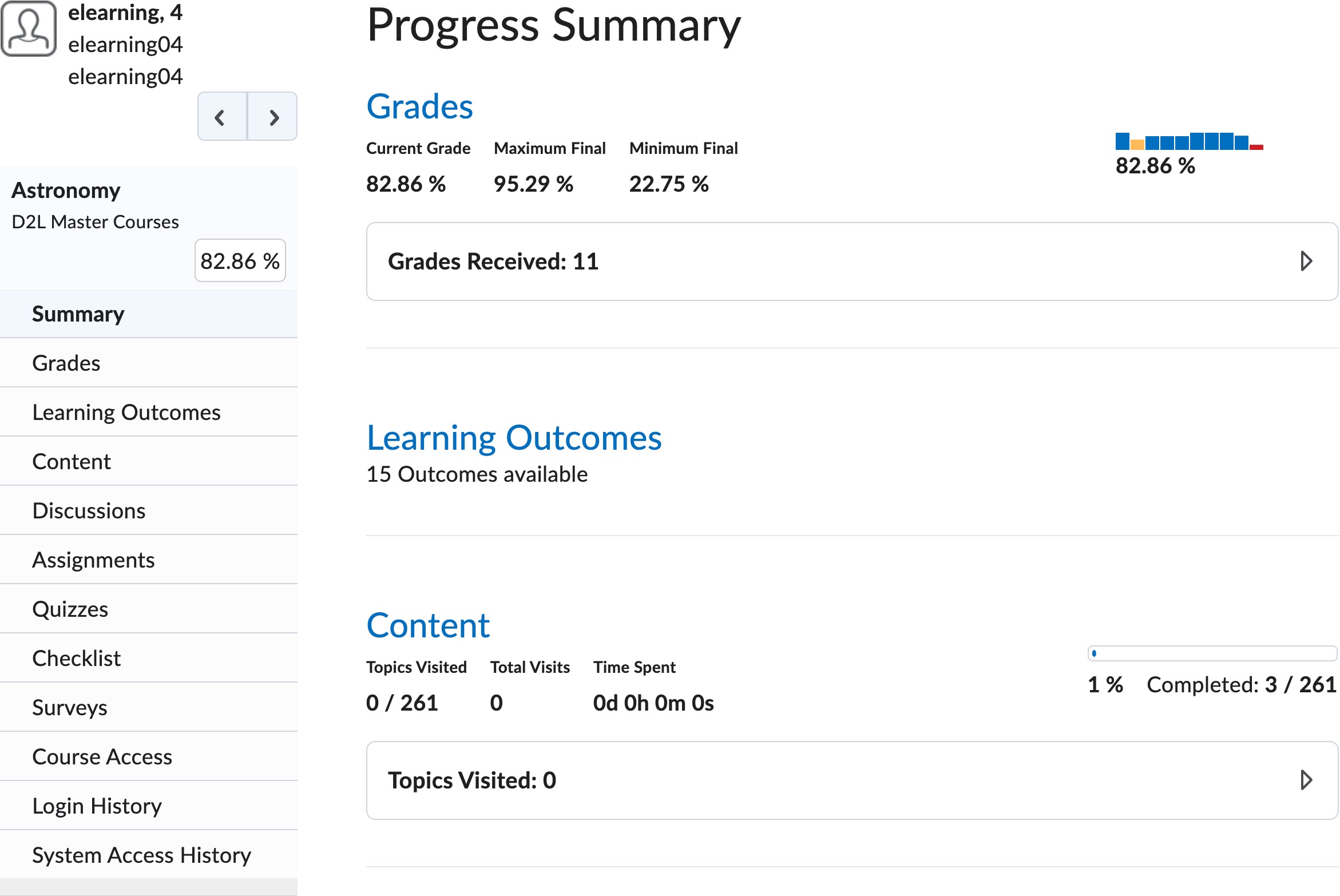
Class Progress provides overall student progress in a course by tracking grades, content access, discussion participation, submissions, and engagement including login history and system access.
Note:
- Logins displays the number of logins into the D2L System for the last 30 days, not the course.
- Course logins (last 30 days) can be viewed within the students’ progress summary or view the Last Accessed date via the Classlist.
- System Access displays the number of accesses in the D2L system for the last 30 days.
-
Step 1
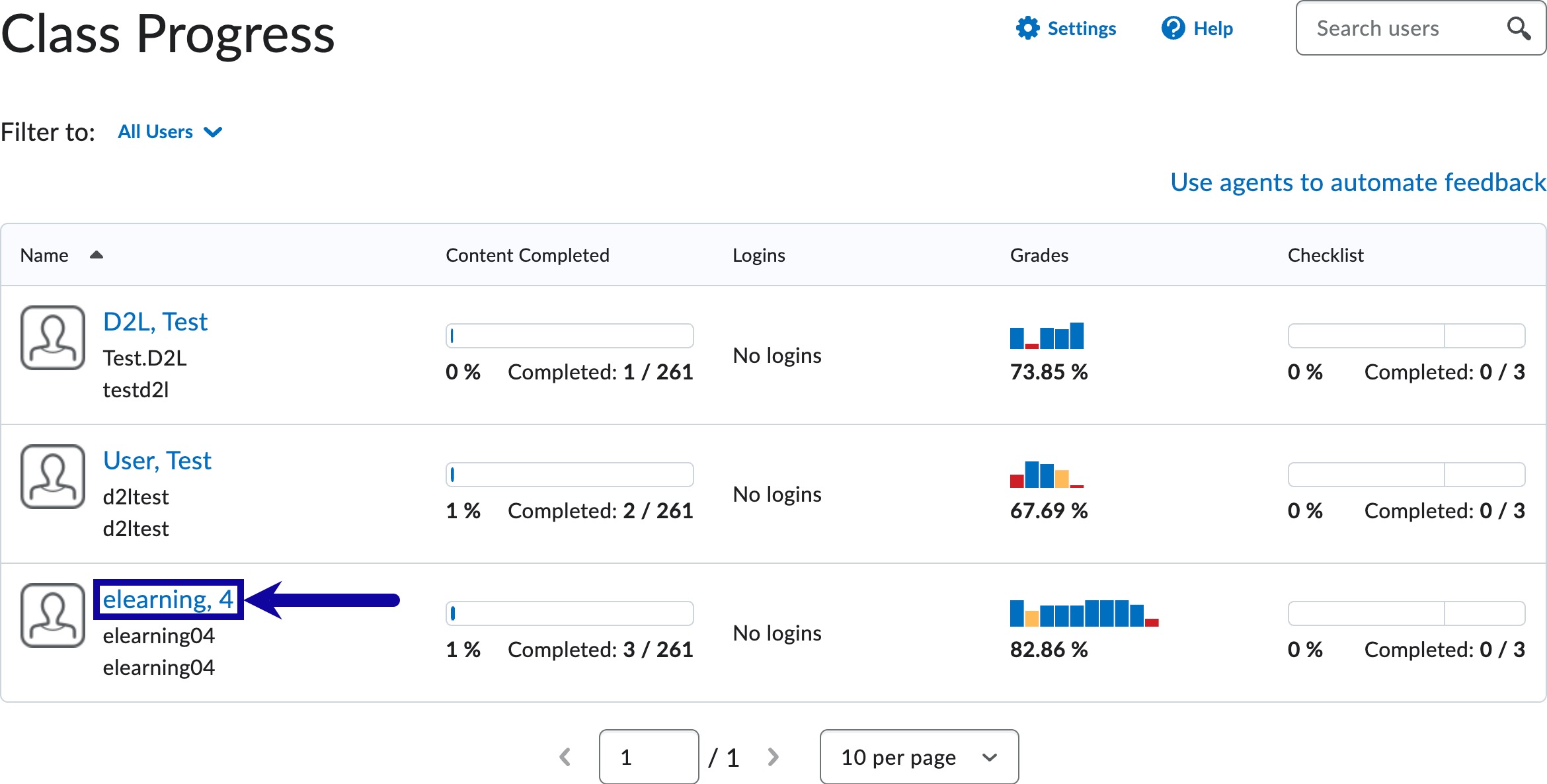
From the Course Progress menu within a D2L course, select Class Progress. -
Step 2
Select the student's name to view the Progress Summary.
-
Step 3
Select from the Class Progress list, such as Assignments, Discussions, and Quizzes, to review student progress in a D2L course.