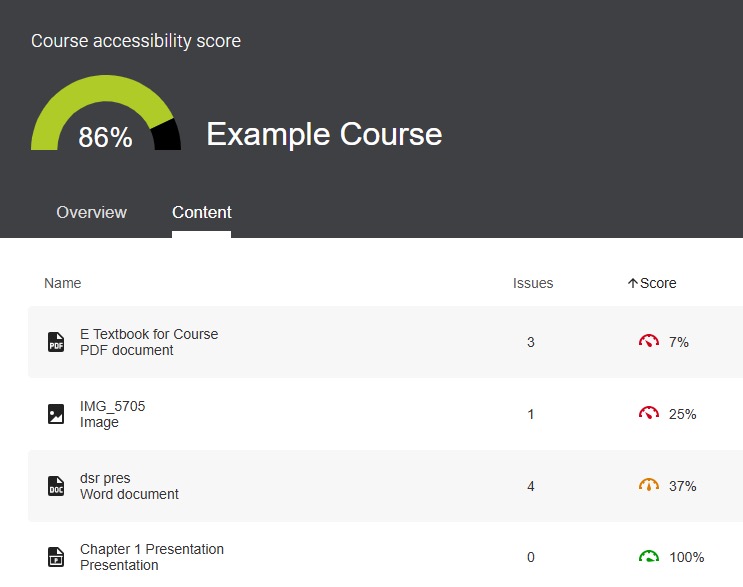
Accessibility Report provides a course-level accessibility overview and a breakdown of individual course content. The report identifies content with accessibility issues to help prioritize improvements to create a more accessible and inclusive learning experience for all students.
Overview
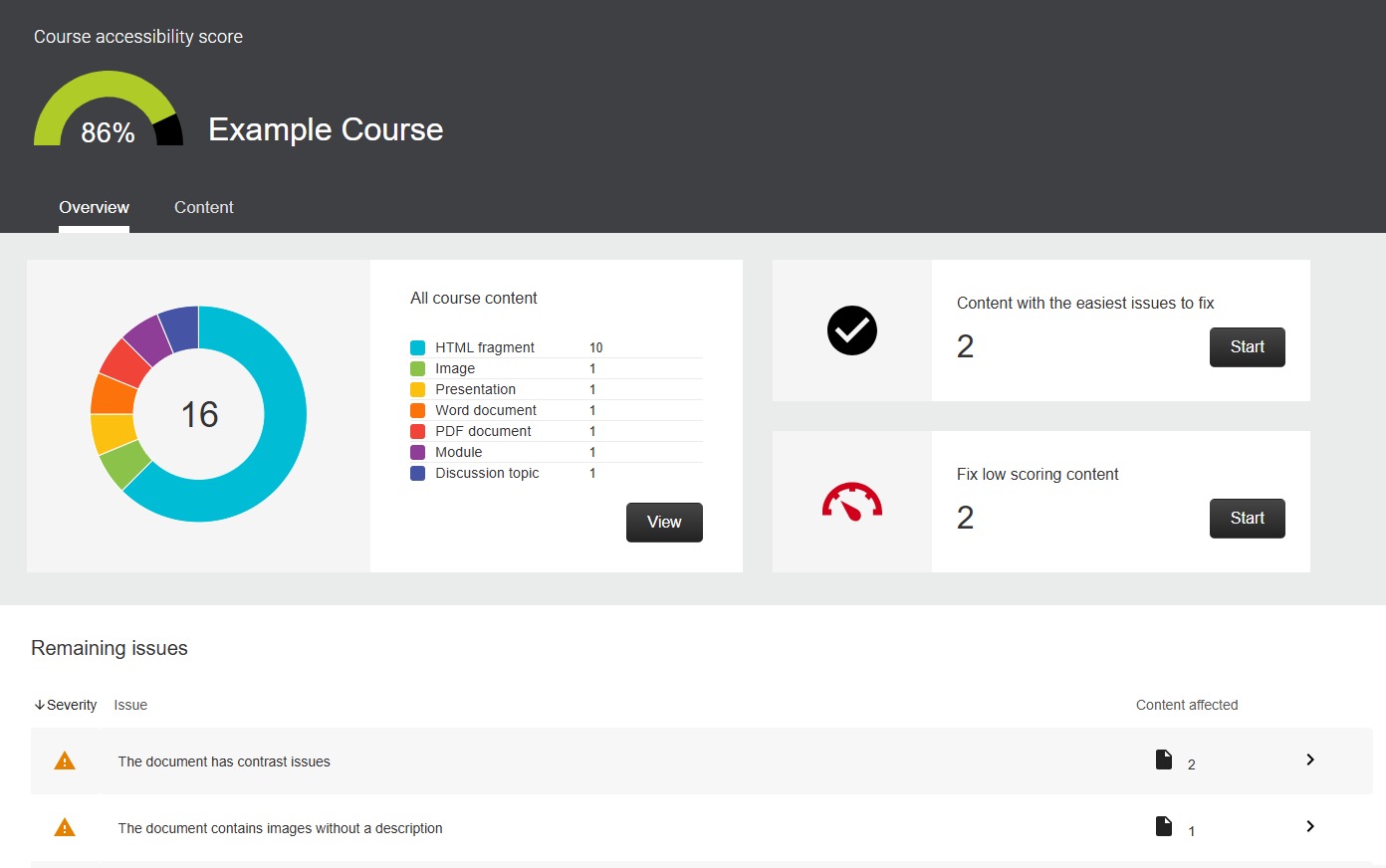
Overview provides a summary of the overall course accessibility, including the accessibility score, issues by severity, and the types of accessibility issues present in the course. By default, issues are organized by severity, from severe to minor. Issues identified as severe should be prioritized first.
Access the Overview Report:
-
Step 1
From the Manage Course menu within a D2L course, select Accessibility Report. -
Step 2
Select the Overview tab.
Use the Overview to:
- View the overall accessibility score for the course.
- Identify the most severe accessibility issues.
- Prioritize where to begin making improvements.
- Select a course file to review accessibility issues and guidance to make improvements.
Content
Content provides a breakdown of course materials, showing the accessibility score and issues associated with each individual file. By default, issues are organized by severity, from severe to minor. Issues identified as severe should be prioritized first.
Access the Content Report:
-
Step 1
From the Manage Course menu within a D2L course, select Accessibility Report. -
Step 2
Select the Content tab.
Use the Content Report:
- View accessibility scores for individual files.
- Identify which files require immediate attention.
- Select a course file to review accessibility issues and guidance to make improvements.