Attendance
To view attendance while in the meeting:
- Select the Participants button.

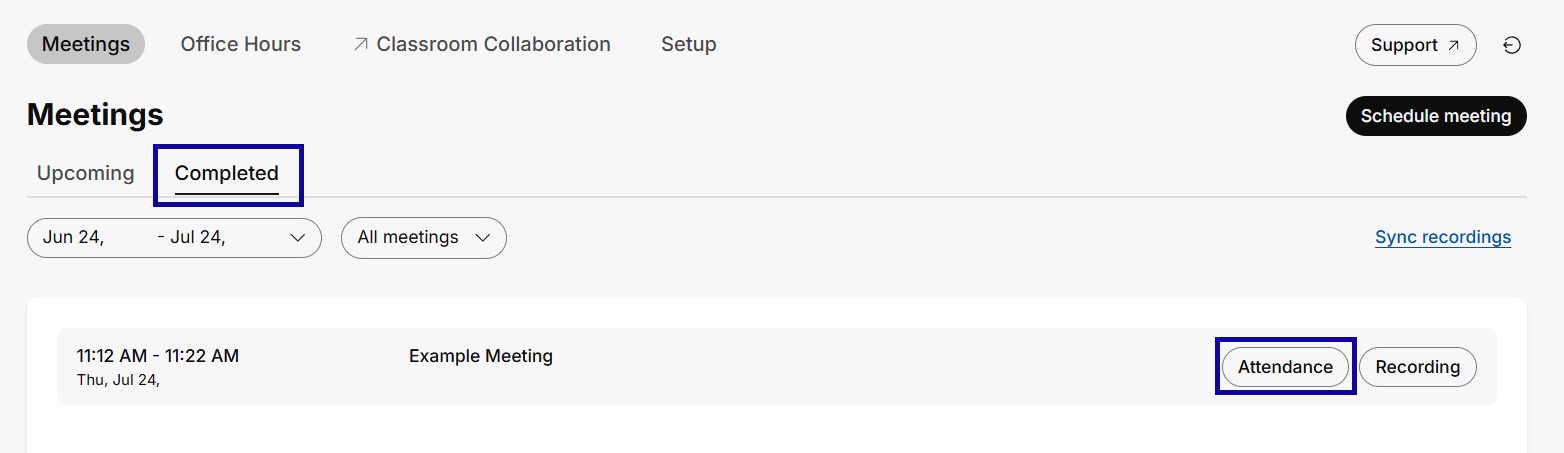
To view attendance after the meeting has ended:
- From the Communications menu within a D2L course, select Webex.
- Select the Completed tab.
- Select Attendance for the desired meeting.