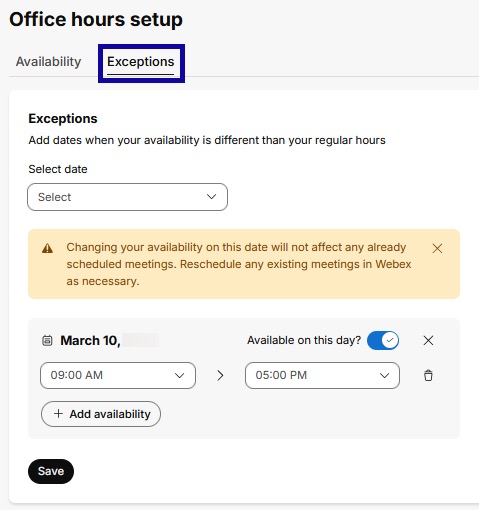
Exceptions
- From the Communications menu within a D2L course, select Webex.
- Select the Office Hours tab.
- Select the Exceptions tab.
- Select the date to adjust the available hours.
- If unavailable for the whole day, uncheck the Available on this day option, otherwise adjust the hours.
- Select Save.