Schedule and Start Office Hours
Schedule Office Hours
- From the Communications menu within a D2L course, select Webex.
- Select the Office Hours tab.
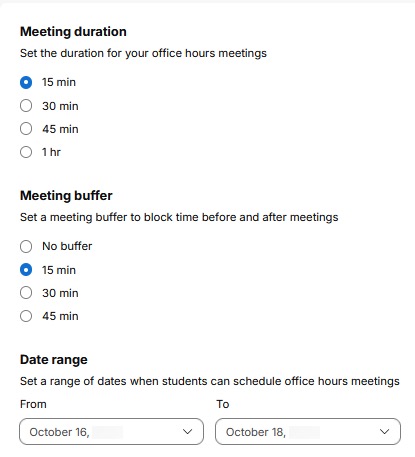
- Select a Meeting duration and Meeting buffer and choose a Date range where the slots will be available.
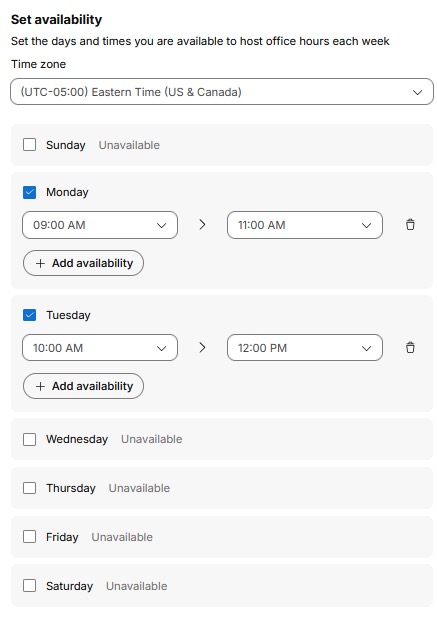
- Select which day and time slots in which the slots will be available.
- Select Save.
Start Office Hours
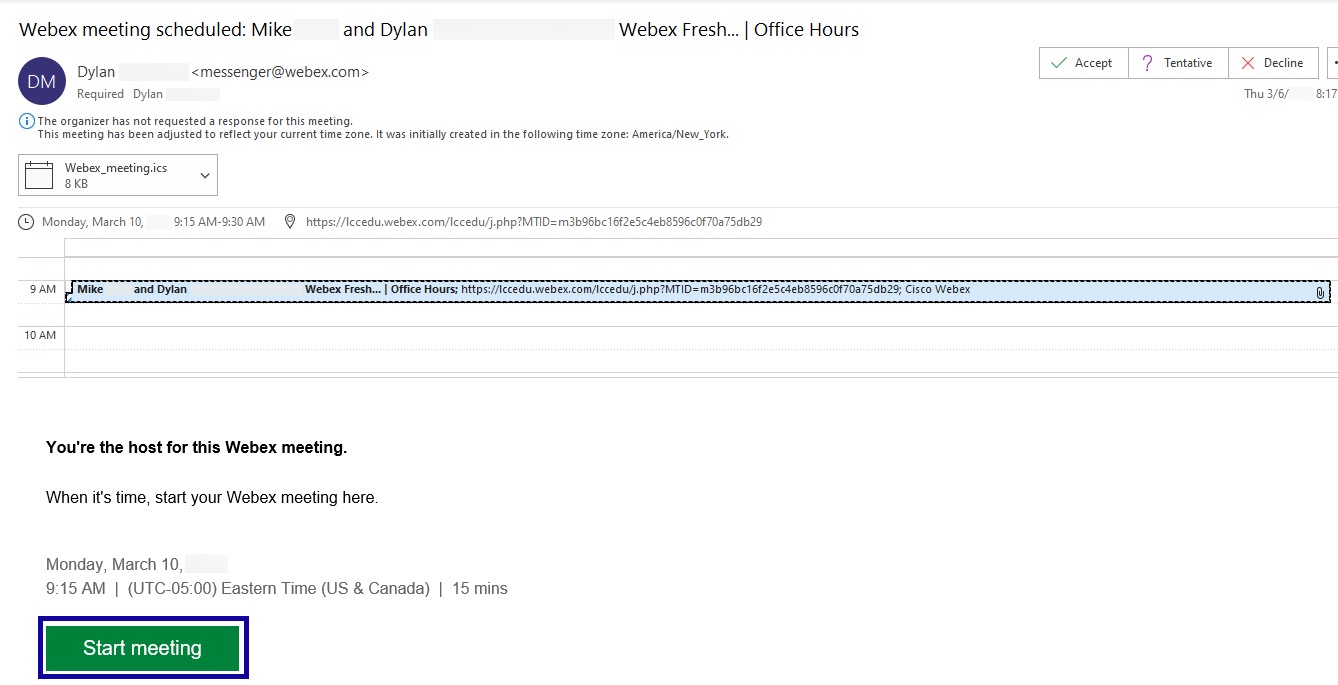
- From Outlook, go to Calendar.
- Open the appointment in the calendar.
- Select Start meeting.