Analytics Builder Dashboards
Access
- From the Online Tools menu within My Home page, select Insights Portal.
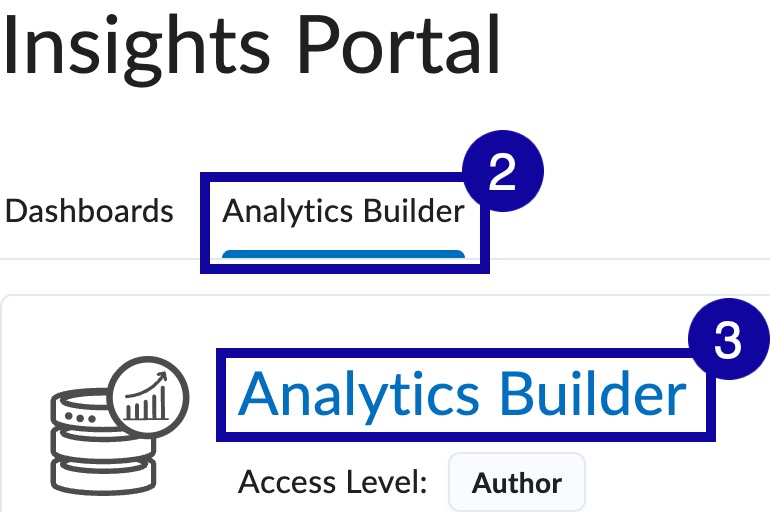
- Select the Analytics Builder tab.
- Select Analytics Builder.
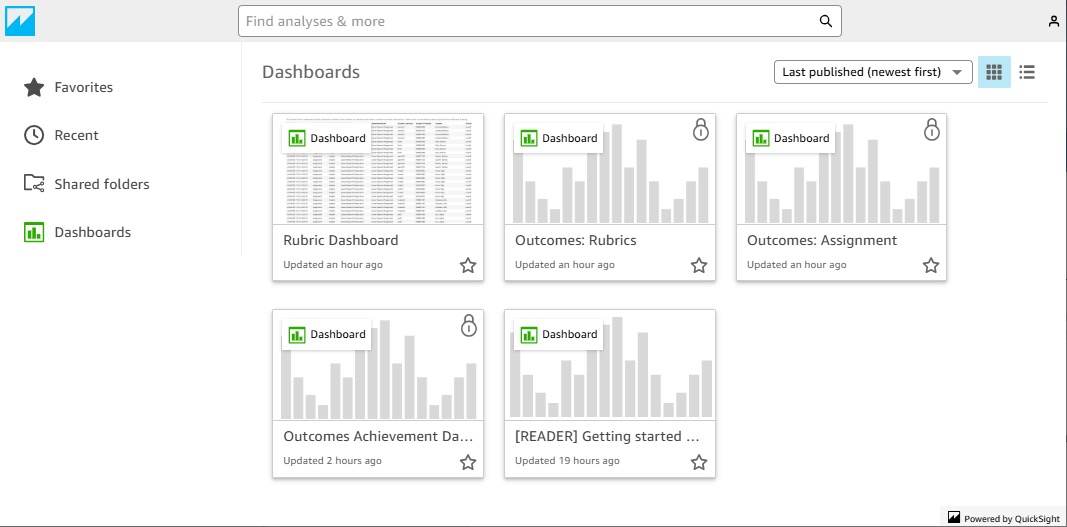
- From within the Analytics Builder, select a dashboard to view.
Filters
- From the Online Tools menu within My Home page, select Insights Portal.
- Select the Analytics Builder tab.
- Select Analytics Builder.
- From within the Analytics Builder, select a dashboard to view.
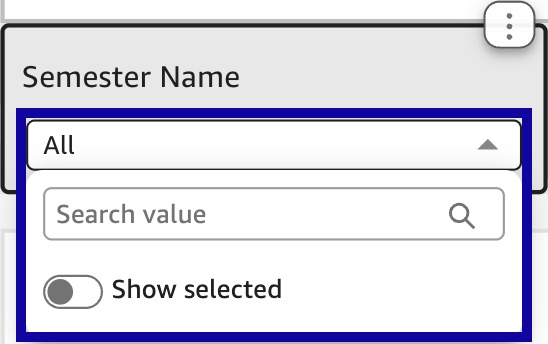
- From within the Analytics Dashboard, select the multi-select menu by the filter to look at specific data.
Note:
Data can be filtered at multiple levels, based on the filters available.
Data Export
- From the Online Tools menu within My Home page, select Insights Portal.
- Select the Analytics Builder tab.
- Select Analytics Builder.
- From within the Analytics Builder, select a dashboard to view.
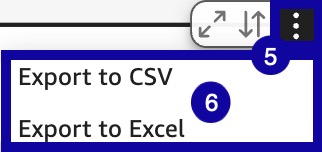
- From within the Analytics Dashboard, select the menu options in the upper-right corner.
- Select Export to CSV or Excel.
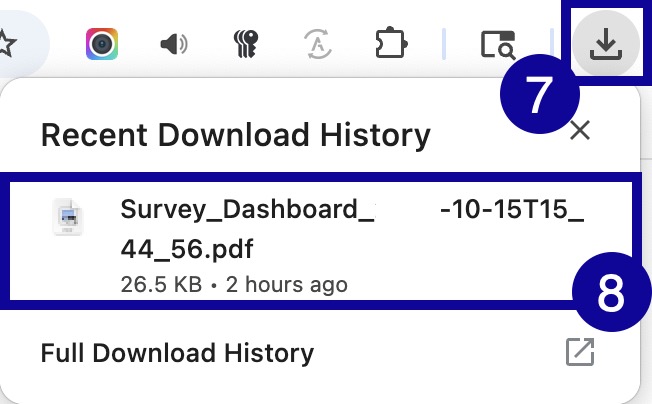
- Exported files will appear in browser downloads.
- Select the file to open.
Filter Reset
- From the Online Tools menu within My Home page, select Insights Portal.
- Select the Analytics Builder tab.
- Select Analytics Builder.
- From within the Analytics Builder, select a dashboard to view.
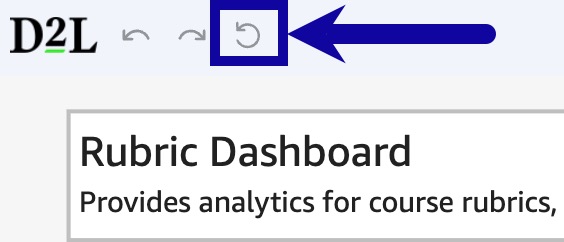
- From within the Analytics Dashboard, select the Reset to original dashboard icon from the upper-left corner.