Generate Practice Questions provide practice questions generated from specified source text, which are then embedded within the D2L HTML page.
-
Step 1
From within a D2L course, select Content. -
Step 2
From within the Table of Contents, select a Content module. -
Step 3
Locate and select one of the following:
- From the Upload/Create dropdown menu, select Create a File.
- From the Actions dropdown menu next an existing HTML page, select Edit.
-
Step 4
From within the HTML Editor toolbar, select Authoring Tools, and select Insert Practice from the dropdown menu.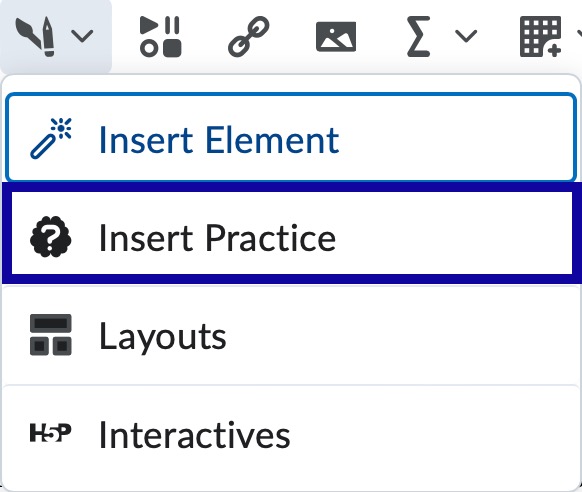
-
Step 5
Choose a practice type that supports generative AI, indicated by a spark icon.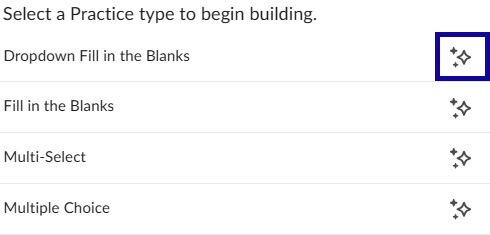
-
Step 6
From within the practice editor, select Generate Question.
-
Step 7
Update the source text to contain the content in which you want to be used to generate the question. -
Step 8
Select Generate Question.
Note:
This may take some time.
-
Step 9
Verify generated content is accurate and make any necessary edits. -
Step 10
Select Insert.