Feedback on Quizzes
- From the Course Progress menu within a D2L course, select Class Progress.
- From within the summary, select Quizzes.
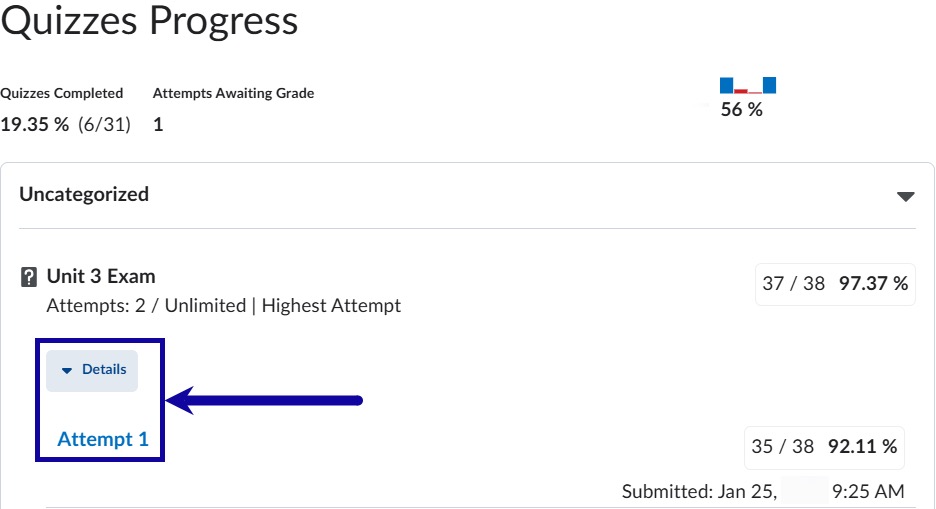
- From the quiz attempt, select Details to view the attempt and feedback.
Note:
Instructors have the ability to customize display settings to students when reviewing quiz submissions, including show/hide quiz questions, and identifying correct answers.