Request Audio Descriptions
Note:
The Audio Description service cost LCC $1 per minute and requires review and approval from Divisions. If approved, the Audio Description service can take up to 12 hours to process. Upon completion of processing, Audio Descriptions need to be reviewed for errors and accuracy. If the Audio Descriptions are not accurate or not approved, the video may need to be re-recorded.
- From the Online Tools menu within My Home page, select My Media.
- Locate and select the video thumbnail and/or video title to open the video.
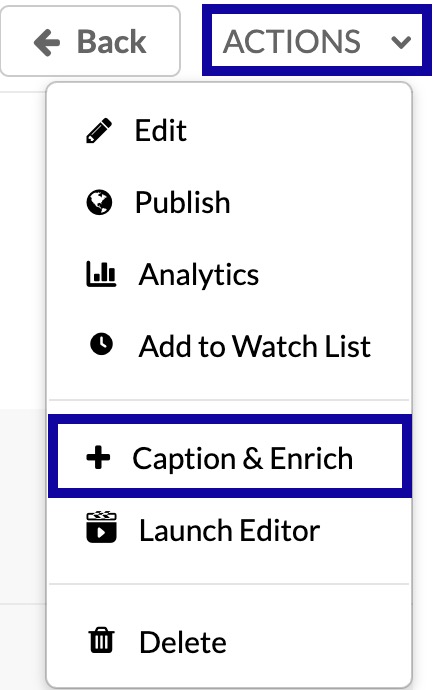
- Locate and select the Actions menu below the video.
- From the Actions dropdown menu, select Caption & Enrich.
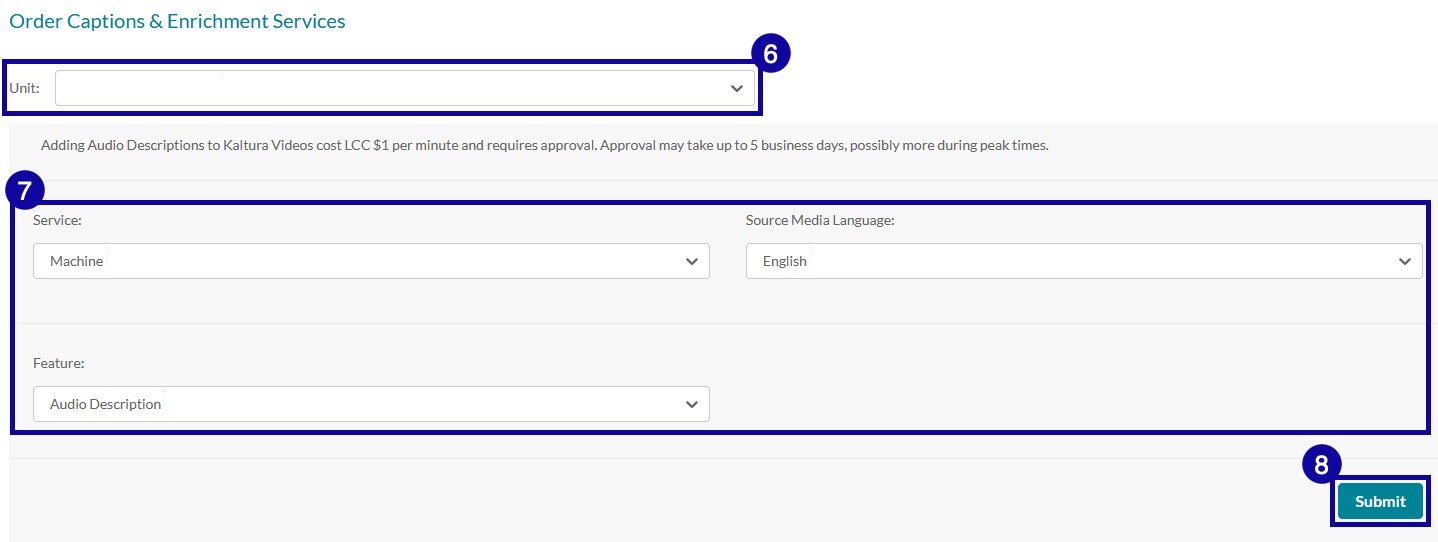
- Locate and select the Unit menu within the Order Captions & Enrichment Services section.
- From the Unit dropdown menu, select the appropriate Audio Description unit based on your job/division.
- Leave the following options at default:
- Service Type: Machine
- Source Media Language: English
- Feature: Audio Description
- Select Submit to complete your Audio Description request.