-
Step 1
From the Online Tools menu within My Home page, select My Media. -
Step 2
Locate the video to download. -
Step 3
From the Actions dropdown menu, select Edit.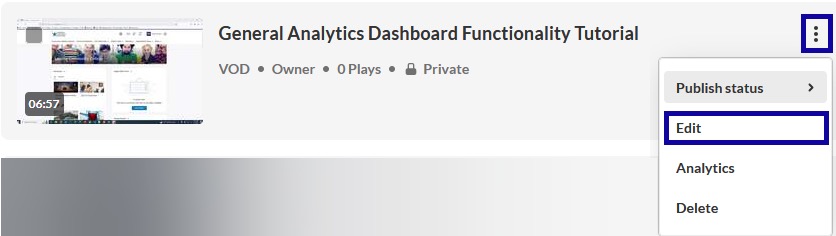
-
Step 4
Select the Downloads tab.
-
Step 5
From the Available Formats options, select the checkbox(es) to choose the video format(s).
Note:
One or more formats may be selected.
-
Step 6
Select Save. -
Step 7
Select Go To Media. -
Step 8
Select the Download tab. -
Step 9
From the Download table in the Actions column, select the Download icon.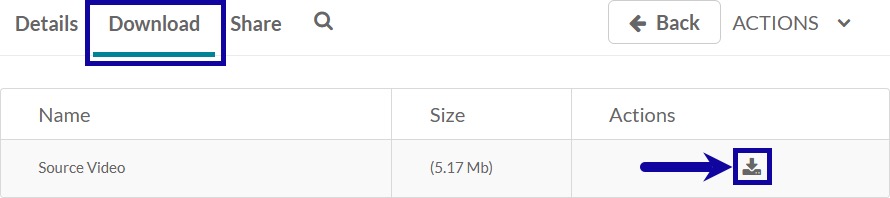
Note:
The media file will be saved to the Downloads Folder.