-
Step 1
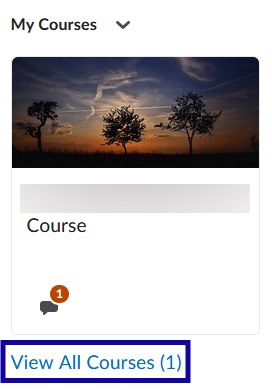
From the My Courses widget within My Home page, select View All Courses.
-
Step 2
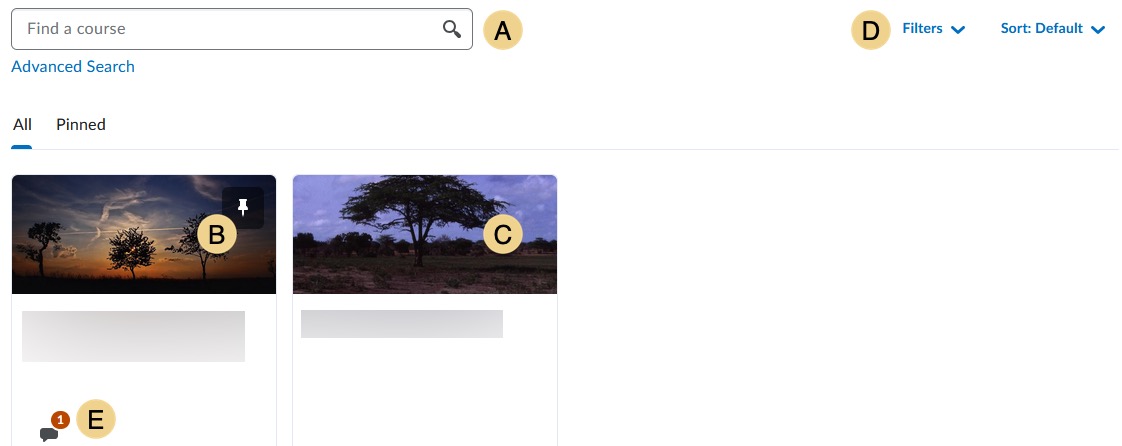
Search for the course(s) to pin.
- Use Find a course to search for a specific course.
- Currently pinned courses.
- Currently unpinned courses.
- Filter by Semester or Department or Sort by Course Name, Course Code, Date Pinned, or Last Accessed.
- Course Updates shows and links to Unread Discussion Posts.
-
Step 3
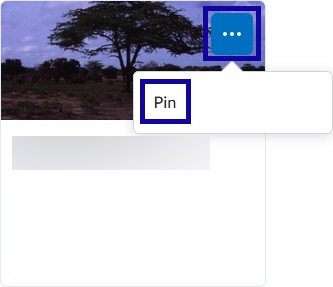
Hover over the course to pin until the Menu Options icon appears. -
Step 4
From the Menu Options menu, select Pin.
Note:
Select the thumbtack icon to unpin a course.