Assessment Quality Dashboard Settings
- From the Online Tools menu within My Home page, select Insights Portal.
- Locate and select the Assessment Quality Dashboard.
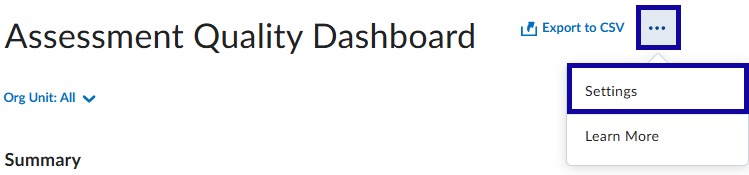
- From the More Actions (three dots in the upper-right corner) dropdown menu, select Settings.
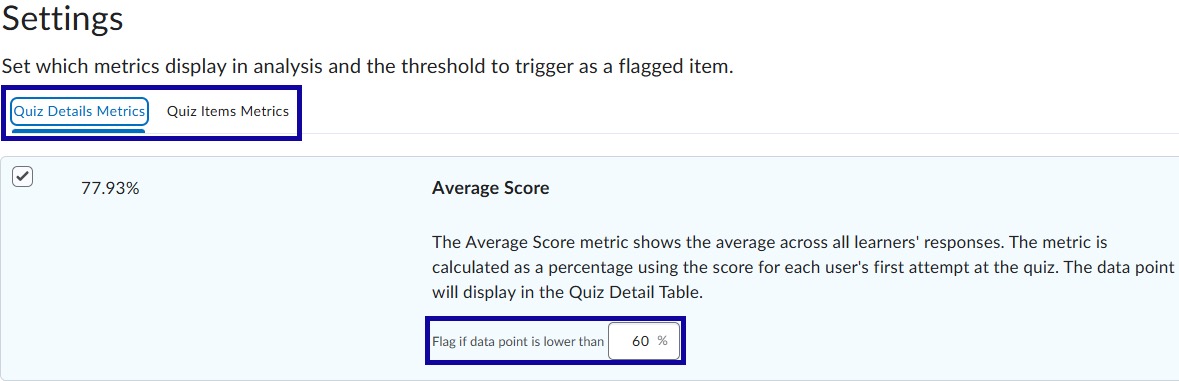
- From within Settings, select and adjust the metrics thresholds for Quiz Details and/or Quiz Items, as needed.
- Select Save and Close.