-
Step 1
Select the Review tab.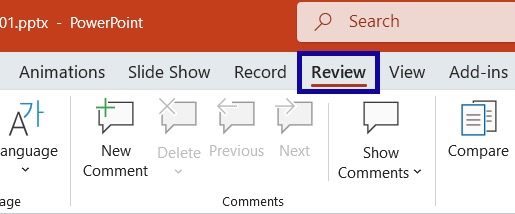
-
Step 2
From the Check Accessibility dropdown menu, select Reading Order Pane.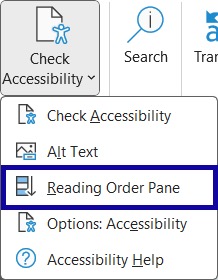
-
Step 3
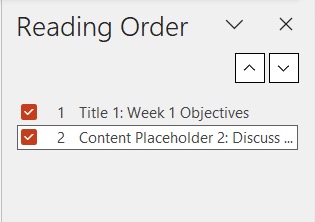
Use the Reading Order Pane to review the reading order of all the items on a slide. -
Step 4
Use the up and down arrows (Move Up or Move Down buttons on a Mac) to reorder objects, as needed.